

Quick reference
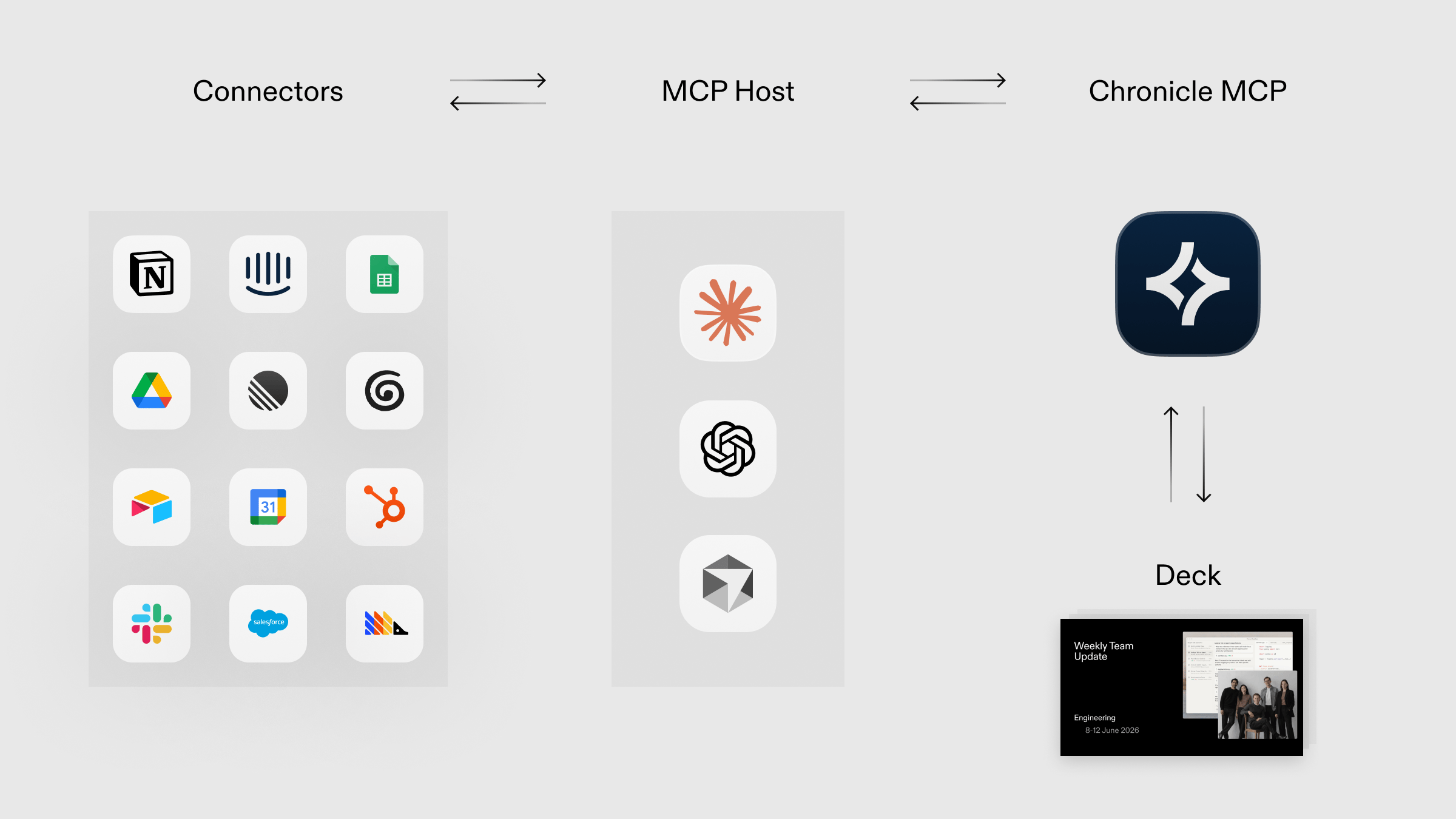
- Works with any AI tool that supports the MCP (Model Context Protocol).
- Available on Pro, Plus, and Max Chronicle plans. Generations charge credits.
Installation
- Claude.ai
- Claude Code
1
Add Chronicle as a custom connector
In Claude.ai, open Settings → Connectors, then click Add custom connector.Fill in:
- Name:
Chronicle - Remote MCP server URL:
https://mcp.chroniclehq.com
2
Authenticate
On the Connectors page, click Connect next to Chronicle. A browser window opens — complete the Chronicle sign-in and the connector activates.
3
Create a presentation
Start a new chat and ask Claude to generate a presentation. Claude will call Chronicle automatically.For best results:
- specify format (presentation, deck, proposal)
- be specific about structure (“create a 10 slide sales proposal using the following transcript”)
Using the MCP server
Once configured, your AI assistant can access Chronicle automatically when you prompt or paste a Chronicle link into chat. You can get the link for any presentation by copying the url in your browser address bar. If you call the REST API directly (for example to poll generation status), see API scope and rate limits for rate limits, retries, and polling guidance.Available tools
Every tool exceptlist_workspaces takes workspace_id as input. Call list_workspaces first to discover which workspace_id to use.
generate_presentation and send_followup_message return status="generating" immediately. The caller must then poll get_generation_status until the state is terminal (completed, awaiting_input, or failed). Each get_generation_status call holds open for up to ~50 s server-side, so consecutive calls cover long generations without keeping any single MCP request alive. Pass user prompts and follow-up answers through verbatim; Chronicle’s AI will ask for missing context itself.Attachments
Ground a generation on user files. Mention a file path in your chat (PDFs, decks, images, text) — your AI client handles the upload to Chronicle.Supported formats:
.txt, .md, .pdf, .pptx, .jpg, .jpeg, .png, .gif, .webp. Maximum 50 MB per file.Example prompts
For best results: specify format (presentation, deck, proposal), be specific about structure (“create a 10 slide sales proposal using the following transcript”)Generate with AI
Generate with AI
Generate with a template
Generate with a template
Ground a generation on a file
Ground a generation on a file
Troubleshooting
Authentication failed
Authentication failed
If you’re seeing authentication errors:
- Try re-authenticating by reconnecting to the MCP server in your client
- Check that you have the correct permissions for the project you’re trying to access
- Make sure your browser session is active when authenticating
Presentation not found
Presentation not found
Verify:
- The component/page exists in your Chronicle workspace
- The name or URL matches exactly
- You have access to the presentation
Connection errors
Connection errors
If the MCP server is unreachable:
- Check your internet connection
- Verify the URL is
https://mcp.chroniclehq.com - Reach out to the Chronicle team for support
Insufficient credits
Insufficient credits
Check your available credits via Settings → Billing in Chronicle. You can purchase more tokens or upgrade plan.
FAQs
What can I do with Chronicle over MCP?
What can I do with Chronicle over MCP?
Chronicle’s MCP integration supports template discovery, presentation retrieval, presentation creation, and AI-powered generation workflows.It lets AI clients create and work with Chronicle presentations directly.
Why did the MCP generation flow return a question instead of a presentation?
Why did the MCP generation flow return a question instead of a presentation?
Some requests need clarification before Chronicle can generate the right presentation.Your MCP client should present the question to the user and send the answer back before continuing.
Should I treat MCP generation as a single request?
Should I treat MCP generation as a single request?
No. Treat it as a multi-step workflow.A complete flow can include generation, polling, one or more follow-up messages, and final completion.
Can MCP generation time out?
Can MCP generation time out?
Yes. Long-running generation flows can time out.Your client should handle timeouts gracefully and let the user retry when appropriate.
How should I authenticate MCP clients?
How should I authenticate MCP clients?
Follow the setup guide for your MCP client and use the Chronicle connection flow documented for that environment.Authentication steps can vary by client.
Can MCP generations ground on files?
Can MCP generations ground on files?
Yes. Call
create_upload_target to get a presigned S3 URL, upload the bytes from the host, then pass an entry in attachments[] on generate_presentation or send_followup_message. See Attachments for the full flow and supported formats.